
 Hot Topic
How To Get Started With Minecraft: A Complete Beginner's Guide

Ready to dive into the blocky, creative world of Minecraft but don’t know where to start? Whether you’re a complete newbie or dabbled briefly before, this guide will walk you through every core step to launch your first world, gather resources, and build your first simple structure. By the end, you’ll feel confident navigating Minecraft’s basic systems and expressing your creativity.
Why should you care about learning Minecraft’s fundamentals? This iconic game offers endless opportunities for creative expression, problem-solving, and even casual social play with friends. But it’s important to understand the core mechanics first, as jumping in blind can leave you feeling overwhelmed and frustrated. Wouldn’t you want to avoid wandering aimlessly and start crafting your vision right away?
Why Minecraft Is Worth Your Time
- Low Barrier to Entry: Minecraft’s basic controls and mechanics are intuitive enough for new players to pick up in minutes, with gentle tutorials guiding you through your first actions. You don’t need prior gaming experience to start placing blocks and exploring.
- Unlimited Creative Expression: From tiny cottages to sprawling castles, you can build nearly anything your imagination conjures using the game’s diverse block sets. This freedom lets you turn personal ideas into in-game realities.
- Global Community and Collaboration: Millions of players worldwide share their builds, tips, and mods, creating a supportive space to learn and connect. You can join servers to collaborate on group projects or show off your own creations.
- Transferable Real-World Skills: Navigating resource management, planning builds, and solving in-game challenges can help develop critical thinking, spatial reasoning, and basic project management skills that apply outside the game.
- Casual or Immersive Play Styles: You can play for 15 minutes a day to tweak a build, or spend hours exploring vast biomes and defeating mobs. The game adapts to your available time and preferred intensity.
Step-by-Step Guide to Minecraft
Step 1: Choose Your Game Mode and Create a World
First, open Minecraft and select either Survival or Creative mode. Survival mode challenges you to gather resources and survive hostile mobs, while Creative mode gives you unlimited blocks and no threats. For beginners, starting with Creative mode can help you get comfortable with building without pressure. Once you pick a mode, name your world, adjust basic settings like difficulty, and click “Create New World.”
Pro tip: Start with a flat world in Creative mode if you want to focus solely on building without navigating complex terrain.
Step 2: Learn Basic Controls and Movement
Take a few minutes to familiarize yourself with the core controls. On most platforms, you’ll use WASD or a left joystick to move, the mouse or right joystick to look around, and left-click to break blocks or right-click to place them. Practice walking, jumping, and looking around your new world to get a feel for the camera and movement speed. Don’t forget to open the inventory menu to see what items you have access to.
Common mistake to avoid: Spamming clicks to break blocks; hold the left mouse button instead to break them faster and conserve energy in Survival mode.
Step 3: Gather Basic Resources (Survival Mode Only)
If you chose Survival mode, your first task is to gather wood by punching tree trunks. Wood is the foundation of most early-game tools and structures. Once you have a few wood blocks, open your crafting menu to turn them into wooden planks, then craft a basic crafting table. This table unlocks more advanced recipes for tools like pickaxes and axes.
Pro tip: Stick to oak or birch trees first, as their wood is the most common and versatile for early crafting.
Step 4: Build Your First Shelter
Whether in Survival or Creative mode, building a simple shelter is a great first project to practice placing blocks and planning space. In Survival, it will protect you from hostile mobs that spawn at night. Start with a 5x5 base of wooden planks, then build 3-block-tall walls around the perimeter. Leave a gap for a door, then add a roof using more planks or cobblestone.
Common mistake to avoid: Forgetting to add a door or light source inside your Survival shelter; mobs can still enter through open gaps or dark spaces.
Step 5: Experiment with Crafting and Basic Tools
Now that you have a crafting table, experiment with basic recipes to create tools and useful items. In Survival, craft a wooden pickaxe to mine stone, which is more durable than wood. You can also craft torches to light up your shelter and surrounding area, or a bed to skip through the night. In Creative, browse the full inventory to test different block types and see how they fit together.
Pro tip: Use the in-game recipe book (found in the crafting menu) to discover new items you can create with your current resources.
Step 6: Explore Your World and Expand Your Skills
Once you’re comfortable with the basics, start exploring the biomes around your spawn point. You might find forests, deserts, or even mountains filled with unique resources and creatures. In Survival, look for coal to make more torches or iron ore to craft stronger tools. In Creative, travel to different biomes to gather rare blocks for more complex builds. Every new area brings new opportunities to learn and create.
Challenges to Be Aware Of
- Overwhelming Choice: With endless biomes, blocks, and gameplay options, new players may struggle to decide what to focus on first. This can lead to feeling scattered instead of making progress on a specific goal. To mitigate this, start with one small task, like building a shelter, before moving to other activities.
- Survival Mode Learning Curve: While the basics are easy, mastering Survival mode’s resource management and mob defense can take time. New players may die frequently at first, which can be discouraging. Try starting with Peaceful difficulty to learn without hostile mobs, then increase it gradually.
- Creative Block: Even with unlimited resources, you might hit a wall when trying to come up with build ideas. This is common for new and experienced players alike. Browse online community builds for inspiration, or start with a simple, real-world structure like a small house to practice.
- Technical Glitches: Like any game, Minecraft can have occasional bugs or glitches that disrupt your play, such as blocks not placing correctly or game crashes. Keeping your game updated and backing up your world regularly can help minimize these issues.
Conclusion
You now have the foundation to start your Minecraft journey, from creating your first world to building basic structures and gathering resources. You understand the core modes, controls, and mechanics that will help you navigate the game with confidence. No longer will you feel lost in a sea of blocks—you can start crafting your vision right away.
Minecraft offers a world of creative and playful opportunities, and by mastering its fundamentals, you’re positioning yourself to explore deeper mechanics, join community projects, and build creations that reflect your unique style. The game’s flexibility means you can shape your experience to match your interests, whether you prefer quiet building sessions or adventurous exploration.
Don’t wait for the perfect moment. Start by creating your first Creative mode world and building a simple cottage today. Every block you place is a step toward mastering this iconic game, and you never know what amazing creations you’ll build next.
FAQ
How long does it take to feel comfortable with Minecraft’s basics?
Most beginners can learn core controls, crafting, and basic building within 1 to 2 hours of playtime. If you focus on one task at a time, like mastering resource gathering first, you may pick up skills even faster. The more you practice, the more intuitive the mechanics will feel. Why not set aside 30 minutes a day to build your skills steadily?
Do I need to buy additional content to enjoy Minecraft as a beginner?
No, the base game includes all the core mechanics, biomes, and blocks you need to start playing and building. While Minecraft offers DLC packs with extra blocks and themes, these are optional and not required for a full, enjoyable experience. You can explore the base game fully before deciding to invest in additional content. Give the base game a few hours before considering any add-ons.
What’s the best way to get inspiration for my first builds?
You can find inspiration in real-world architecture, nature, or even other players’ builds shared on Minecraft forums or social media. Start small, like replicating a simple birdhouse or a tiny cabin, to practice basic building techniques. You can also use in-game tutorials or community guides to follow step-by-step build plans. Why not take a walk outside and sketch a small structure to recreate in-game?
Can I play Minecraft with friends as a beginner?
Yes, playing with friends can make learning Minecraft more fun and less intimidating. You can join a friend’s existing world or create a new one together, and more experienced friends can help teach you basic mechanics. If you don’t have friends who play, you can join beginner-friendly public servers where other new players gather to learn and build. Reach out to a friend who plays and ask if you can join their next session!


RECOMMEND ARTICLES
How To Unlock Unlimited Resources And Lives In Minecraft Survival Mode
How To Use X-Ray Mod To Find Diamonds In Minecraft: A Complete Player's Guide
How To Get And Play The Verity Mod In Minecraft
How To Level Up Your Minecraft Building: Pro Tips For Every Player
How To Find And Explore Minecraft Hidden Structures: A Complete Guide
How To Create And Use Minecraft Mods: A Complete Beginner’s Guide
How To Find And Use Minecraft Diamonds: A Complete Player's Guide
Most Read

How To Test Your Body And Bone Age: A Practical Guide For All Ages
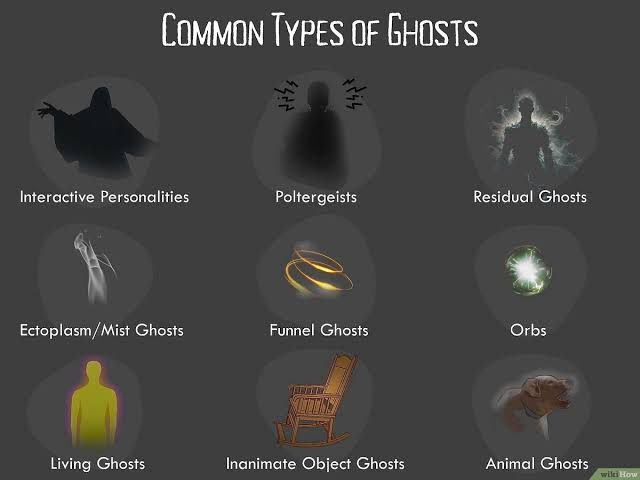
How To Tell What Ghost Is Watching You With No Evidence
How To Find People Who Are Secretly Interested In You: A Practical Guide
How To Check How Rare Your Birthday Is: A Simple Step-by-Step Guide

How To Get Roblox Free Limited Items: A Step-by-Step Guide For Players